Template XLSX Broadcast
You can use XLSX format files for the broadcast receivers you create. You can download the sample file in sample XLSX template

Explanation
phone_number
The "phone_number" column is used to refer to the intended recipient's number.
header_url
The "header_url" field is used to replace media links when the header is a different type than text, such as an image, document, and others.
header_text
The "header_text" column is used to replace the variables contained in the header section if the header uses a text type.
body_text_[n]
The column "body_text_[n]" is used to refer to the variable values contained in the body text, where [n] refers to the column that represents the variable number in the body of the text. Please replace [n] with a number according to the template you are using.
button_payload_[n]
The "button_payload_[n]" column aims to replace the payload of the button if the type of button used is "quick reply." Here, the symbol "[n]" indicates the button's position in the list of buttons.
Example
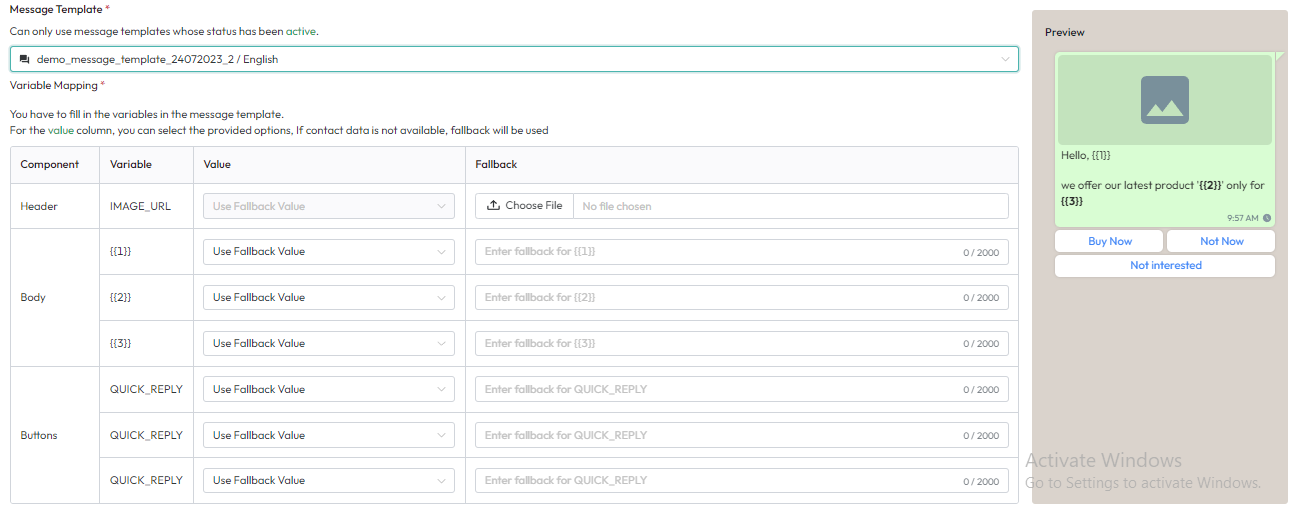
- header_url will be used to replace the file link for the image.
- body_text_1 to replace variable "{{1}}" in the body.
- body_text_2 to replace variable "{{2}}" in the body.
- body_text_3 to replace variable "{{3}}" in the body.
- button_payload_1 to replace the payload for the first button.
- button_payload_2 to replace the payload for the second button.
- button_payload_3 to replace the payload for the third button.
Usage
The following is an example of using an XLSX file for a broadcast recipient:
- Select the message template to be used.
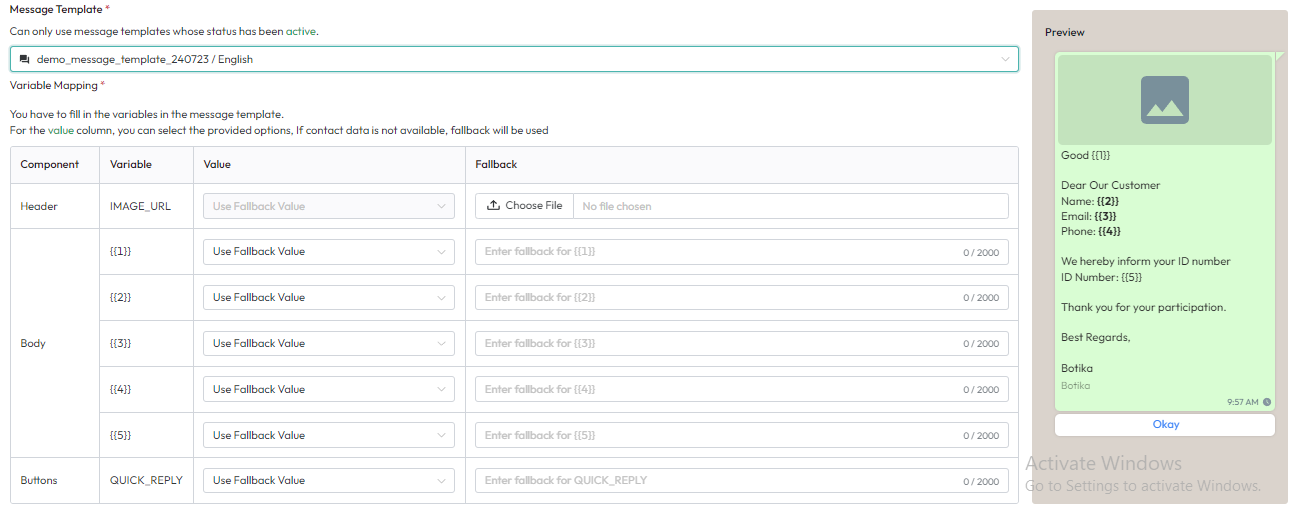
- If you use a message template with the variable structure as above, you can create fields like the following:

Template Column Rules
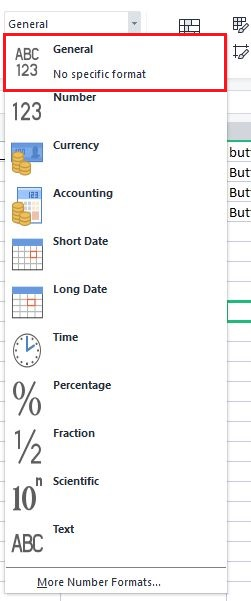
The column type in the template must be of a general type to avoid errors.